
Subscribe Here
Top Cydia Sources 2017
Yalu Jailbreak iOS 10.2 | iOS10.1.1 |iOS 10 Video Tutorials Below
How to Jailbreak iOS 10.2 [ iPhone 6] Supports devices except iPhone 7 / 7+
How To Setup New iPhone 7 With All Old Data in Seconds EasyWay
How To Downgrade or Restore iOS 10.2.1 to 10.2. http://bit.ly/2jnTtBO
How to enter iPhone 7 #DFU Mode or Safe Mode #Downgrading or Restoring Purposes
Save Blobs in 60 Seconds [EASYWAY]: Save SHSH2 blobs iOS 10 TSS Saver. http://bit.ly/2jMqUNb
TRACK & Find Lost/Stolen iPhone 2017: No PC & NO FINDMYIPHONE APP
IN-APP PURCHASES [FREE] / PAID APPS [FREE] iOS 10 (2017): 3 Ways [FREE] NO JAILBREAK
Transfer Music, Movies, Ringtones Without Using iTunes No Jailbreak #iPhonecaptaingiveaway
Change iPhone 7 and all iPhones Fonts & Keyboards 2017 All iPads http://bit.ly/2jMrlH1
Screen Recorder AirShou (Working 1/7/17) [FREE] iOS 10-10.2 NO Jailbreak iPhone, iPad, iPod Touch
20 Essential Cydia Tweaks
The jailbreak community is growing more each day. Since some users are just learning about jail breaking and Cydia I have compiled a list of the 20 most essential Cydia tweaks for any idevice. These tweaks or applications will make the jailbreak experience better for the user. These applications will make jailbreaking simple but exciting.
- Package backup-this is an application that allows the user to save their sepia tweaks. A good example of this would lead to have iTunes saving all the Apple applications. This application allows the user to install the tweaks or applications with just one or two clicks.

- Pro Tube-they are mocked toe is quote the way you two should have been.” Pro two allows the user to control most features you to from there I device.
- Sbsettings is a must for all jailbreak users. It allows you to reboot, all resupplying, and much more simply by just swiping your finger or tapping the screen. This is set up through a another tweak called activator SP settings can be activated in many different ways or gestures.4
- BBsettings is and IOS five notification tweak that puts SP settings on the notification screen. This is a great way for many different reasons but mostly come lenience off different features such as reboot, all resupplying, power off, Bluetooth on and off, Wi-Fi on and off, and many more.
- Spring pod is a new tweak that puts the iPod music controls on the springboard. It allows the user to control volume and skip to other tracks of music.
- Ifile is best described as a way to SSH into your device with out having to have a computer or be connected by USB. It allows the user to change and delete items from the device. You can do simple things such as change and I calm or as complicated as redesigning an entire application.
- Springtomize 2 has probably over 50 different tweaks and modifications inside this one application. You can change things from the status bar, icons size, change the carrier nine, change the lock screen stream to the, and much much more. This is probably the largest single tweak inside of Cydia.
- Winter board is installed when you jailbreak your device initially. This allows the user to same their device by downloading different names or modifications.
- Icon harvester is a group of three things compiled into one location. These things are easy to install and use. If you are wanting to change the physical appearance of your device I strongly recommend checking out this application.
- Infiniboard allows the user to scroll their springboard vertically.
- Infinidock allows the user to scroll their dock horizontally and add more icons.
- Infinifolder allows the user to add more than 12 applications within each folder.
- Super switcher is new tweak for 2012. It allows the user to multitask much simpler and you have the ability to select nine different applications to add to the screen directly above the multitask bar. It also allows the user to control the screen brightness and volume, Bluetooth, Wi-Fi, and more.
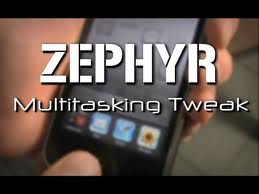
- Zephyr is a new tweak for 2012. It allows the user to move from one application to the previous application through different gestures such as swiping the screen left right.

- Speed intensifier has been updated for IOS five. This is a great way to Oakland applications faster. It does not increase the speed of the device however.
- Cydelete allows the user to delete cydia applications directly from the springboard without having to connect to a computer.
- Activator is used by many applications to add different gestures to be able to open and perform different tasks on the I device. An example of this would be simply to double tap the status bar to open youtube.
- Dreamboard allows the user to theme their device and switch between different things much faster. This application is free but many of the things are paid inside Cydia.
- Barrel 2 allows the user to add different movements to their icons.
- Appsync iOS 4 or 5 must be installed to allow the user to sync cracked applications to their device inside iTunes.
see this
Everything is very open with a very clear explanation of the issues. It was definitely informative. Your website is useful. Thank you for sharing!