• About Us
  • Contact Me
  • Review Request
  • Guest Post
  • iPhone 14 WALLPAPER
    • iPhone XR and iPhone XS Wallpapers
  • Store
  • Gambling
  • iPhone 15 Wallpapers

iPhonecaptain | iOS 17 Tips, Jailbreak Tweaks and App Reviews

"Bringing the Best For Apple Devices Daily"

A2Hosting

  • Home
  • iOS 16 Wallpaper Downloads
    • macOS Ventura Wallpaper Downloads Here
      • MacOS Wallpapers 2022
      • 5K iMac Wallpapers Stock
    • iOS 10 Wallpaper
    • iOS 9 Wallpaper
    • iOS 8 Stock Wallpaper
    • iPhone 7 Wallpaper
      • Super Mario wallpapers for iPhone
      • iPhone 6 Plus HD Wallpaper
      • iPad Air or iPad Mini Retina HD Wallpaper
      • Yosemite Wallpaper
      • iOS 7 Wallpaper
      • Wallpaper New iPad 3
      • iPhone 5 Wallpapers
    • iPhone 6 Wallpapers
  • iPSW Firmware
    • iOS 8 iPSW Downloads
  • Top Cydia Sources 2017
    • Top Cydia Repo 2016
    • Cydia Sources 2014
    • Sources 2013
    • Cydia Sources 2012-13
  • Free Cydia Tweaks
    • Winterboard Themes
    • Favorite Tweaks
    • Top iOS 8 Tweaks
  • App Reviews
    • PRODUCT REVIEWS
    • Review Request
  • iPhone Tips
    • Giveaway
  • iPA Library
    • Emulators
    • iOS 10 Hacks
  • Jailbreak Download
You are here: Home / Archives for iphone Tips

Download Music, Videos, Documents Directly Using iPhone

August 20, 2014 By Mitch Stevens Leave a Comment

media downloader tweak

Download Music, Videos, Documents Directly Using iPhone . Wouldn’t it be great to download files such as video, music, or documents directly from the internet? I’m here to share how you may do this without paying one cent. Thats right, Media Downloader is a Free Cydia Tweak available in ModMyi Repo. Users can visit the site which holds the files they wish to download and download it it using MEDIA DOWNLOADER.

Filed Under: Cydia Tweaks, Free Cydia Tweak, iOS 7 Free Cydia Tweaks, iOS Tips & Tricks, iphone how to, iphone Tips, iPhone Tips & Tricks, Premium Cydia Tweaks 2014

How to use Find My iPhone to Find Lost or Stolen iPhone

August 19, 2014 By Mitch Stevens Leave a Comment

Find My iPhone App

One of the best ways of retrieving a lost or stolen iPhone is through the “Finds My iPhone” service. Many users think this is only an application and if they didn’t install it or it wasn’t installed at time of loss they can’t use it. That is definitely wrong. Although, its a great plus if the Find My App is on the device and been set up properly theres still a chance you can track down your iOS device

Filed Under: iOS Tips & Tricks, iphone Tips, iPhone Tips & Tricks Tagged With: tips

How To Use MyWi7 On iOS 7 Jailbroken Devices As HotSpot

August 19, 2014 By Mitch Stevens Leave a Comment

MyWi7 HotSpot

Many users jailbreak their devices for the sole purpose of this ability. After the device has been jailbroken user will need to install MyWi7. This tweak cost $19.99 and is available on ModMyi Repo. This may seem like an astronomical amount but I can assure you this $20 bucks is much less than what Verizon or AT&T would charge for tethering.

Filed Under: iOS Tips & Tricks, iphone Tips, iPhone Tips & Tricks Tagged With: tips

How To Use iPhone HotSpot On iOS 7

August 19, 2014 By Mitch Stevens Leave a Comment

iOS 7 HotSpot

How many times have you been out and needed to use your laptop or iPad but didn’t have any wifi? Those days are long gone now with the iPhone running iOS 7. Users can easily and quickly connect their laptop, iPad, or any other device users may need to get a wifi connection on to use. Simply follow the few quick steps below to be up and running in a matter of a couple minutes. You will also need a device with a data plan and tethering option added too

Filed Under: iOS Tips & Tricks, iphone Tips, iPhone Tips & Tricks, Tips

Installous Alternatives 2014

August 15, 2014 By Mitch Stevens Leave a Comment

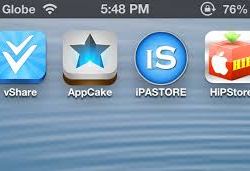
The best alternative we have found and can get working on a dependable basis is vShare. vShare will allow you to download and install any application in the iTunes App Store. It’s broken down into five different categories across the bottom. Users can find their app fastest by using the search feature in the top right side of the screen. Tap the magnifying glass and it will open a search bar where users can type the name of the app they are looking to find. Refer to the photo below to see how vShare looks inside.

Filed Under: iphone Tips, iPhone Tips & Tricks, Tips

How To Use iPhone For USB Storage

August 15, 2014 By Mitch Stevens 1 Comment

We have all needed to carry extra files with us in the past. What better way to carry those as to put them on your mobile device. It turns out theres a few different ways to accomplish this task. We always try to find a free way to do things but sometimes it’s not possible. We are going to share a couple apps in the App store and also thew jailbroken way. Which turns out the jailbroken way is the best way.

Filed Under: iOS Tips & Tricks, iphone Tips, iPhone Tips & Tricks

Track Your Budget & Expenditure Using This Interesting iPhone App

August 14, 2014 By Mitch Stevens Leave a Comment

what this iPhone app can do for you. It’s called Value-Personal Finance Manager with Budgets, Income & Expenditure Tracker, Calendar and Reports.

The name itself gives you a clue on what this app does. It’s about tracking your budget, expense, date and time. These elements are very important if you want to make profits out of the little that you earn. They say time is money, and there’s your proof. Time is always proportional to money as seen in this app.

Filed Under: App Reviews, iphone how to, iphone Tips, iPhone Tips & Tricks, Tips Tagged With: budget manager, budget planner app, expense tracker, value app review, value finance app, value for iPhone

Earn Free Money Downloading Apps Using AppDown.me

July 22, 2014 By Mitch Stevens Leave a Comment

Appdown.me is the best way to earn money for buying apps or anything else you may want. The sky is the limit with Appdsown.me. Users can purchase iOS applications in the App store using the Paypal money they earn through appdown.me or buy the latest version of GTA. It’s really up to you and how much effort you put into the process. Users who have a large following on their social media may earn hundreds of dollars monthly using Appdown.me.

Filed Under: iOS Tips & Tricks, iphone Tips, iPhone Tips & Tricks

How To Downgrade iOS 8 to iOS 7.1.2

July 22, 2014 By Mitch Stevens Leave a Comment

downgrade ios 8 to ios 7

Today we are sharing the simplest method for downgrading iOS 8 back to iOS 8. This works for any of the beta versions available too. So it doesn’t matter if you are downgrading an iOS 8 beta 4 to iOS 7.1.2 it all works the same. Follow the steps outlined below and in the video for a foolproof method for downgrading.

Filed Under: iOS Tips & Tricks, iphone Tips, iPhone Tips & Tricks

Play iOS Emulator ROM’s No Jailbreak Needed: iOS 7.1 Jailbreak Not Needed

May 14, 2014 By Mitch Stevens Leave a Comment

Emulators for iOS Devices

Many iOS users accidentally updated to the new firmware iOS 7.1. This resulted in the loss of the jailbreak for iOS 7 completely. Well I have good news my unfortunate friends. Today you can play ROM’s on any iOS device without the need of a jailbreak.

Filed Under: Emulators, Favorite Apps, iOS Tips & Tricks, iphone Tips, iPhone Tips & Tricks, Tips Tagged With: emulators, ios 8 emuulators

« Previous Page
Next Page »

Search The Site

SiteGround

Ad - Web Hosting from SiteGround - Crafted for easy site management. Click to learn more.

RSS Follow Our RSS

  • iOS 26: Adaptive Power, Clear Icons and More – Key Features Explained

Archives

RETURN TO TOP OF PAGE   Privacy Policy

Copyright © 2026 iphonecaptain Developed by Bytesflow Technologies