
Many folks have been complaining about the iPhone 4S battery life. I haven’t had this problem with my new iphone. I think I learned to control the battery issue when I was getting acquainted with the iphone 4. I have listed some of the things I have learned that help save battery life. 
Here are 7 simple tricks to make the battery life last longer on the iPhone 4S.
1. Turn off location-based reminders
It’s actually a good idea never to use location-based reminders, as GPS drains iPhone’s battery. It’s very easy to forget this. So I recommend turning it off right up front. If you need directions turn the GPS App on but remember to turn it off. Better yet, set ann alarm at you destination time to turn off GPS App. This will drain your battery.
2. Adjust brightness appropriately
Some users prefer to maximize brightness on their iPhone, but the recommended setting is to keep it on auto-adjust.
3. Disable location services
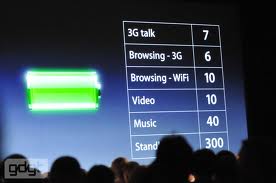 I don’t want other people knowing my location anyway, do you? Now if you have a child you are trying to keep up with you may want to skip this step. However, you can select the apps to leave on. For instance you may want to leave find my iphone turned on for keeping up with the teenager. While new apps added by Apple like Find My Friends may be useful, they automatically use location services, which exhausts battery life. For apps where you don’t necessarily need your location enabled, disable the option. To disable location services, go to Settings > General > Location Services.
4. Maximize signal strength of carrier in region
It is no guarantee you’ll always be in an area with a strong signal (i.e. on a flight). However, your iPhone will constantly look for a better one in a bad signal area, so you can consider using airplane mode, however, you will be unable to make or receive calls. To turn on Airplane Mode, go to Settings and set Airplane Mode to On.
5. Turn off vibrate and Bluetooth (when not in use).
Turning off the vibrate function and Bluetooth capabilities, when not in use, can conserve battery. For Bluetooth, go to Settings > General > Bluetooth and set Bluetooth to Off.
6. Turn off push notifications
Push notifications alert you of new data in apps, but disabling this feature conserves the juice. To disable push notifications, go to Settings > Notifications and set Notifications to Off.
7. Turn off fetch
You can automatically set that data, like e-mail, be fetched in real time or every so often. Checking manually can be more efficient and you can change this by going to Settings > Mail, Contacts, Calendars > Fetch New Data and tap Manually or Hourly.
Leave a Reply