
Are you the type of person who tends to keep down information on destinations that you want to go to? Or do you frequently visit a place that you wish you could keep track of so you can remember it when you want to revisit the place? Rego iOS app is an enjoyable app that will help you do exactly that.
Called Rego – Bookmark your favorite places, the iOS app works like a combination of Picplace, Yelp, and Day One. By combining these things, you get Rego; an app that makes it easy for you to recall the places that you’ve saved and look back at the photos that you took. And since you have the option to save it from another place, you don’t necessarily have to be there to save the place.
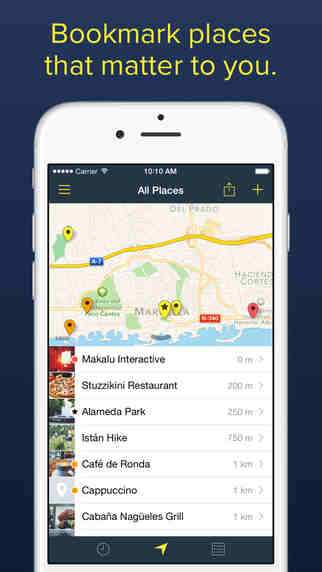
Gaining popularity among iOS users, Rego iOS app has recently been updated with its 2.1 update. With this update, users experience an elegant and beautiful interface that they can use easily. The moment you populate the map with your saved locations, Rego app continues to keep things neatly organized and looking crisp. With this, you don’t always feel bombarded with information. And as you continue to use Rego, you’ll be more intuitive with the app.
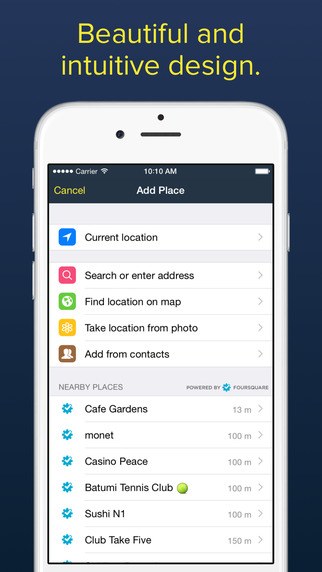
Once you launch Rego for the first time, it may be empty. To start adding places, you simply need to tap on the “+” button on your screen. This will provide you different options to add the new place– from your current location, search, find on map, take location from photo, and add from contacts. Since the app also pulls out a list of nearby places from Foursquare, you can easily pick out the place you want to add.
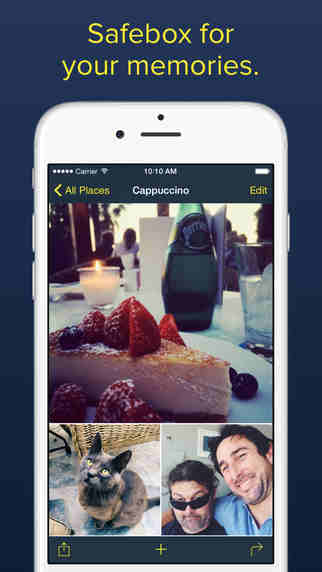
When you already have the place you wish to add, you simply need to tap on it so you can edit its details. Through this, you can attach multiple photos, pinpoint its exact address on the map, change its pin color, star it, and even choose a collection where you believe it belongs in. You can even create new collections as you are adding new places. As soon as you have collated more places on the app, the main view (All Places) start to look more interesting. Yet, you can still change the view option– map and list as the default, filter in chronological or alphabetical order.
The good thing about using Rego iOS app is that it lets you save places you’ve visited or still wish to visit. But more than that, it allows you to reminisce on the memories of the place that you were in a few weeks or months ago. If you would like to share your collection with your friends, Rego has an amazing publish or export option. This will allow your friends to see the places you’ve saved so you can compare ideas and even plan on your next visit together.
Download Rego- Bookmark your favorite places iOS app for only $4.99 from the App Store. It is compatible with iPhone, iPad and iPod touch devices running on iOS 7.0 or later.


Leave a Reply