

Despite the number of photo editing apps available on the App Store, there still seems to be a hunt for the best one. Thus, the result of this hunt is the continuous release of a new app that promises to be the next best thing in the industry of photo editing apps. For some people, the app can be a simple photo editing tool they can use to quickly change the exposure of the photo they took. But if you’re like one of the many who has a specific need to perfect a photo and get rid of any blemishes, there’s one app that you should be using: FaceTune iOS app.
FaceTune app works in the same manner as Photoshop. However, it does not require a lot of knowledge on using the app to produce the same effect. Instead of learning how to retouch photos with layers, masks, and channels, FaceTune app makes things a lot easier; especially if you don’t have the time (or energy) to go through all those controls on Photoshop.
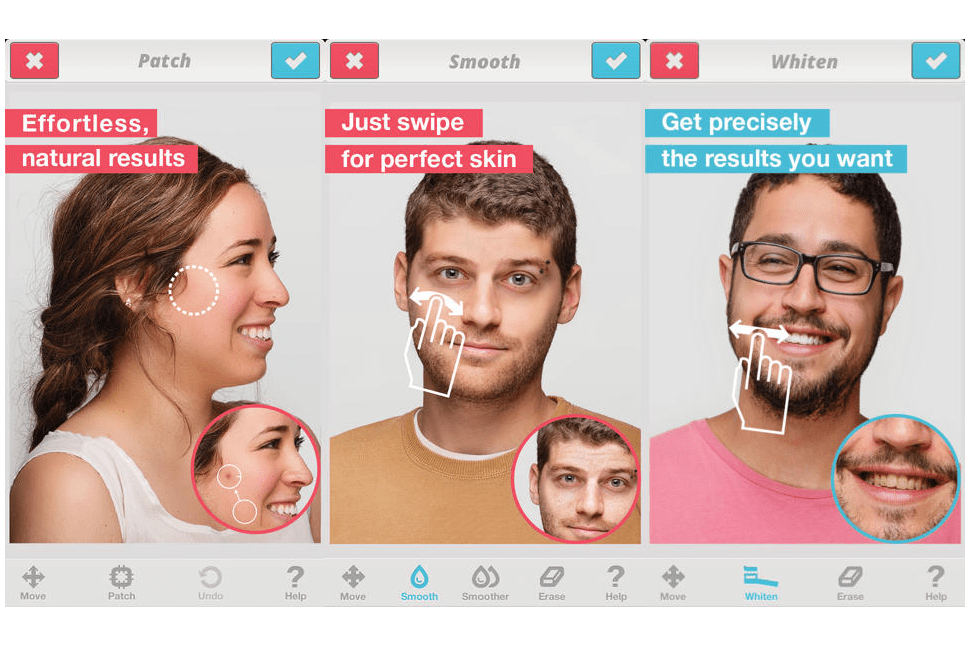
One thing that makes FaceTune different from other photo editing tools available in the market is that it pops up a warning once a photo does not have a high resolution to be effective in its editing. On the bottom of the screen is a discrete set of editing modes to help you deal with the usual issues you need in fixing photos. Using these editing tools, you can get rid of skin blemishes, red eye effect, discolored teeth, and many more issues.
Compared to Photoshop, however, FaceTune does not require a lot of knowledge on how to handle the editing tools. You can easily remove wrinkles and pimples in just a few minutes. There are plenty of categories to use to manipulate color correction values. But considering this is simply an iOS app, FaceTune does not have enough detail as Photoshop comes with. And when it comes to comparing before and after photos, you simply need to tap a button.

If you’re the type to use your iOS device to post professional looking photos on your website or social media accounts, FaceTune iOS app is one app you will find extremely useful. Its color correction tools can use some improvement but other than that, it is a perfectly fine tool. The app can be downloaded from the App Store for $2.99. It is compatible with iPhone 4, iPhone 4S, iPhone 5, iPhone 5c, iPhone 5s, iPad, and iPod touch devices running on iOS 6.0 or later.


Leave a Reply