
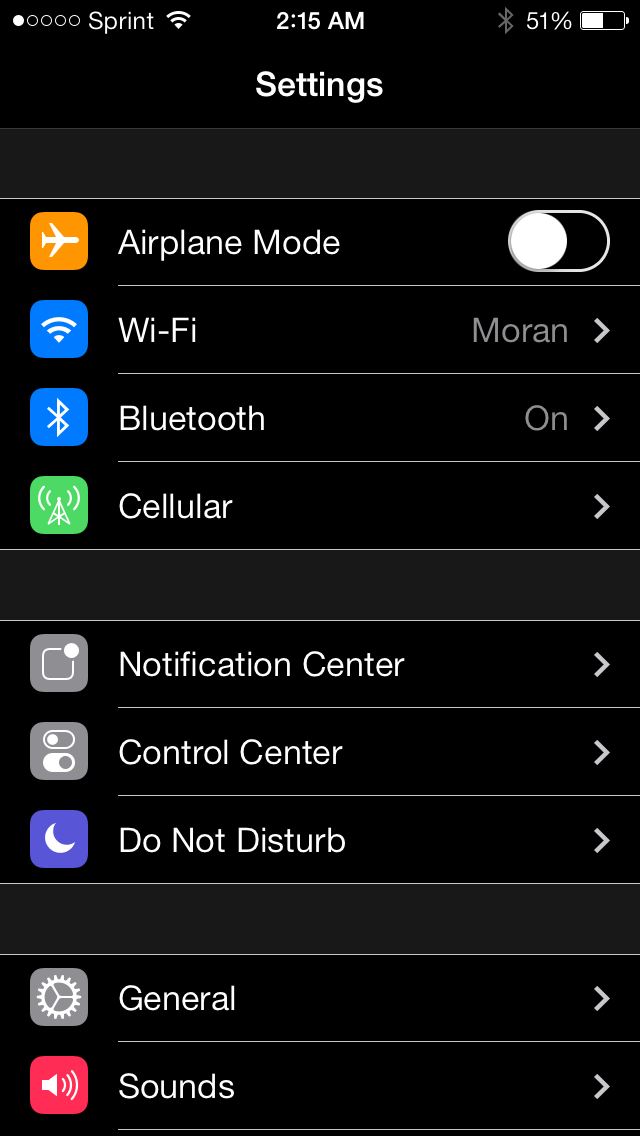
When the iDevices were upgraded to iOS 7, many complained that the colors are very bright. Such brightness can be handled during the day but it can be a pain for the eyes during the night. Eclipse was released but was very tough to set it up. This tweak is more polished and ,can say, better than Eclipse with more options and configurations available for the users.
Nightmode is available on cydia for $0.99. Once installed, users need to enable it manually or through activator gestures. The gesture can be set in the stock setting of the app by navigating to “Activation Methods” and selecting the best gesture that suits you.
Many other options are available in the settings. Users can opt for “Splash Screen” were the apps brightness are automatically dimmed as to avoid causing any harm to your eyes. There is an option of having a dark background keyboard, but when the Nightmode is activated the keyboard background will match the looks of its surrounding. Users can select the colors to tint the menu buttons.
There is an option as to select which app will be affected when the Nightmode is activated. Some apps do not require the Nightmode as they do not contain any bright colors or the darkness will cause some glitch in the layout.
Using Nightmode has been a decent experience. It works well with built in applications even though some third party apps need some tweaking. Such tweak has made it easier to use iPhone during the night. If you don’t like the way the tweak functions, you can simply disable it.
See our short video tutorial on Nightmode:


Leave a Reply