
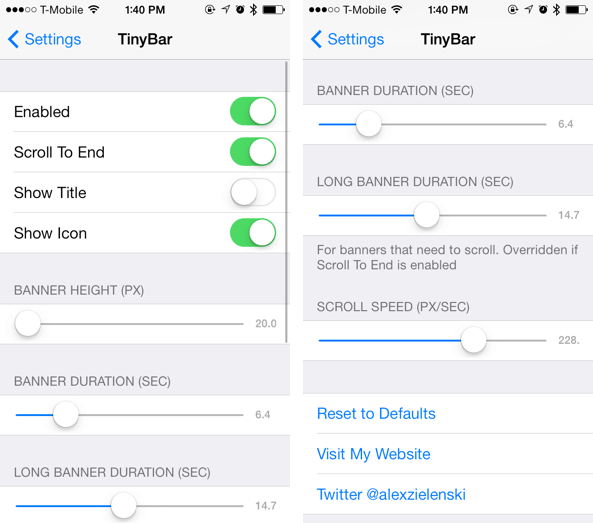
When you receive a notification while using your device, a banner appears at the top of your device screen notifying you of the message associated with an app. TinyBar is a new tweak that allows you to customize the banner that appears when you receive a notification.
With TinyBar, you can adjust the the size and duration of the banner. Upon installing the tweak, you’ll have to configure the tweak via Settings to match your interest. You can enable or disable the tweak,hide the application name or icon, adjust the height of the banner and the duration as well as the scroll speed. Take a look at our video walkthrough to see how it works.
If you think the banner notification is taking too much screen space or you feel that it has to be customized, try TinyBar for free. It’s available in Cydia on BigBoss repo and works on all iOS 7 devices.


Leave a Reply