• About Us
  • Contact Me
  • Review Request
  • Guest Post
  • iPhone 14 WALLPAPER
    • iPhone XR and iPhone XS Wallpapers
  • Store
  • Gambling
  • iPhone 15 Wallpapers

iPhonecaptain | iOS 17 Tips, Jailbreak Tweaks and App Reviews

"Bringing the Best For Apple Devices Daily"

A2Hosting

  • Home
  • iOS 16 Wallpaper Downloads
    • macOS Ventura Wallpaper Downloads Here
      • MacOS Wallpapers 2022
      • 5K iMac Wallpapers Stock
    • iOS 10 Wallpaper
    • iOS 9 Wallpaper
    • iOS 8 Stock Wallpaper
    • iPhone 7 Wallpaper
      • Super Mario wallpapers for iPhone
      • iPhone 6 Plus HD Wallpaper
      • iPad Air or iPad Mini Retina HD Wallpaper
      • Yosemite Wallpaper
      • iOS 7 Wallpaper
      • Wallpaper New iPad 3
      • iPhone 5 Wallpapers
    • iPhone 6 Wallpapers
  • iPSW Firmware
    • iOS 8 iPSW Downloads
  • Top Cydia Sources 2017
    • Top Cydia Repo 2016
    • Cydia Sources 2014
    • Sources 2013
    • Cydia Sources 2012-13
  • Free Cydia Tweaks
    • Winterboard Themes
    • Favorite Tweaks
    • Top iOS 8 Tweaks
  • App Reviews
    • PRODUCT REVIEWS
    • Review Request
  • iPhone Tips
    • Giveaway
  • iPA Library
    • Emulators
    • iOS 10 Hacks
  • Jailbreak Download
You are here: Home / Archives for Tips

How To Record iOS Screen No Jailbreak Needed September 2014 [Video]

September 3, 2014 By Mitch Stevens 3 Comments

record iOS screen

Recording Display screen on iPhone, iPad, iPod running firmware iOS 7 or later. Theres a few different methods users can choose. I am going to share three different ways to Record your screen without the need of a jailbreak. That isa correct, these two methods Do NOT Require a Jailbreak.

Filed Under: app of week, iOS Tips & Tricks, iphone Tips, iPhone Tips & Tricks, Reviews, Tips

How To Enter Safe DFU Mode on iOS Device iPhone iPod iPad

August 29, 2014 By Mitch Stevens 25 Comments

iPhone Safe Mode

We have all experienced a broken Cydia Tweak that causes our iOS device to go into a continuous loop. If you have been jailbreaking long at all you know what I’m referring too. It’s not your device causing the problem it’s two tweaks conflicting with one another or a tweak not compatible with your iOS version.

Filed Under: iOS 10 Jailbreak Tips, iOS Tips & Tricks, iphone how to, iPhone Tips & Tricks, Tips Tagged With: dfu mode, safe mode

How To Fix Water Damaged iPhone

August 22, 2014 By Mitch Stevens 2 Comments

iPhone water damage repair

We are all guilty of using our devices around water whether it be a pool, beach, or toilet. At some point you have put your iPhone at risk while using it is my best guess. Many have had unfortunate events occur such as dropping the iPhone in water or knocking it off the sink into the toilet. Whatever the case may be there are a few things you need to do immediately if this happens.

Filed Under: iOS Tips & Tricks, iphone how to, iphone Tips, iPhone Tips & Tricks, Tips

How To Use iPhone HotSpot On iOS 7

August 19, 2014 By Mitch Stevens Leave a Comment

iOS 7 HotSpot

How many times have you been out and needed to use your laptop or iPad but didn’t have any wifi? Those days are long gone now with the iPhone running iOS 7. Users can easily and quickly connect their laptop, iPad, or any other device users may need to get a wifi connection on to use. Simply follow the few quick steps below to be up and running in a matter of a couple minutes. You will also need a device with a data plan and tethering option added too

Filed Under: iOS Tips & Tricks, iphone Tips, iPhone Tips & Tricks, Tips

Installous Alternatives 2014

August 15, 2014 By Mitch Stevens Leave a Comment

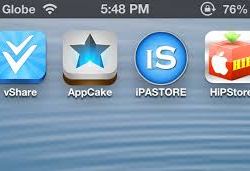
The best alternative we have found and can get working on a dependable basis is vShare. vShare will allow you to download and install any application in the iTunes App Store. It’s broken down into five different categories across the bottom. Users can find their app fastest by using the search feature in the top right side of the screen. Tap the magnifying glass and it will open a search bar where users can type the name of the app they are looking to find. Refer to the photo below to see how vShare looks inside.

Filed Under: iphone Tips, iPhone Tips & Tricks, Tips

How to Send Facebook Messages Without Using Messenger App

August 14, 2014 By Mitch Stevens Leave a Comment

No Facebook Messenger

A few weeks ago Facebook announced it was going to disable messages inside the main Facebook application. Why? No idea? This would require all Facebook users who send messages to download their Messenger application. So now instead of having one Facebook application users will have to deal with two. And if you are a user of Paper Facebook you may have up to three apps which relate to Facebook alone.

Filed Under: free iOS apps, iOS Tips & Tricks, iPhone Tips & Tricks, Tips

Track Your Budget & Expenditure Using This Interesting iPhone App

August 14, 2014 By Mitch Stevens Leave a Comment

what this iPhone app can do for you. It’s called Value-Personal Finance Manager with Budgets, Income & Expenditure Tracker, Calendar and Reports.

The name itself gives you a clue on what this app does. It’s about tracking your budget, expense, date and time. These elements are very important if you want to make profits out of the little that you earn. They say time is money, and there’s your proof. Time is always proportional to money as seen in this app.

Filed Under: App Reviews, iphone how to, iphone Tips, iPhone Tips & Tricks, Tips Tagged With: budget manager, budget planner app, expense tracker, value app review, value finance app, value for iPhone

Play iOS Emulator ROM’s No Jailbreak Needed: iOS 7.1 Jailbreak Not Needed

May 14, 2014 By Mitch Stevens Leave a Comment

Emulators for iOS Devices

Many iOS users accidentally updated to the new firmware iOS 7.1. This resulted in the loss of the jailbreak for iOS 7 completely. Well I have good news my unfortunate friends. Today you can play ROM’s on any iOS device without the need of a jailbreak.

Filed Under: Emulators, Favorite Apps, iOS Tips & Tricks, iphone Tips, iPhone Tips & Tricks, Tips Tagged With: emulators, ios 8 emuulators

How To Increase Font Size On iOS 7 iPhone or iPad

April 24, 2014 By Mitch Stevens 1 Comment

iOS 7 How to Tips

Do you feel like you are straining to read the text on your iOS 7 device? This can be for many reasons primarily age but not always the case. Maybe you have poor vision or know someone who does that may need to increase the size of the text to read it more comfortably. If we have to strain to read our devices chances are we aren’t going to use them as much. Well we have the answer for how to increase the font size for iOS 7 devices.

Filed Under: iOS Tips & Tricks, iphone how to, iphone Tips, iPhone Tips & Tricks, Tips

How To Check iOS Device For MalWare NoFlod.dylib

April 22, 2014 By Mitch Stevens Leave a Comment

chines iOS malware

We have all heard of Malware on computers but not iPhone, iPad, or iPod. Well that’s not the case anymore. Security researcher Stefan Esser (via ArsTechnica) has discovered an issue which was reported on Reddit in causing crashes on users jailbroken devices is actually a piece of malware used to capture Apple ID’s and passwords from infected devices. At this time, developers are unsure how the malware was inserted in iOS and are stating the only sure fire way to be certain you are clear of any other malware is full restore

Filed Under: iOS7 Rumors, iphone Tips, iPhone Tips & Tricks, Tips Tagged With: chinese iphone malware, iOS malware, malware noflod.dylib

« Previous Page
Next Page »

Search The Site

SiteGround

Ad - Web Hosting from SiteGround - Crafted for easy site management. Click to learn more.

RSS Follow Our RSS

  • iOS 26: Adaptive Power, Clear Icons and More – Key Features Explained

Archives

RETURN TO TOP OF PAGE   Privacy Policy

Copyright © 2026 iphonecaptain Developed by Bytesflow Technologies