
There are times when you come across pages written or displayed in a different language and want to translate a text or word but you can’t unless you Google it to find the definition. However, this tweak will solve your problem. Once you are in this situation all you need to do is to highlight the words and translate it, thanks to Metaphrase.
With this tweak installed, you will be able to highlight any text or word that is different from your language and have it translated to your language. To do this, highlight a text or word, tap and hold on it until a action menu pop-ups on your screen right above the highlighted text or word. Once it appears, tap on the translate button and the text will be translated to your iOS system language. A new small rectangular page pops up on the screen, displaying the highlighted text or word on the top of the pop-up page and also specifying the language it is written in and at the bottom the text is translated to your iOS system language.
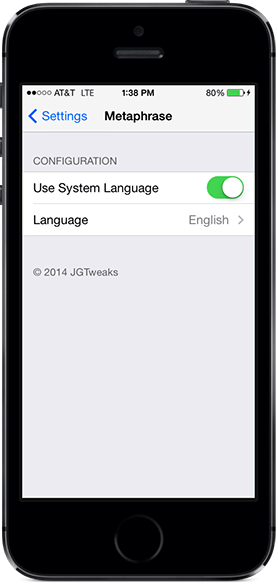
This tweak adds a preference pane to your Settings Menu. From the menu you can choose whether to enable or disable the system language. If you wish to have a text or word translated into another language apart from the system language, then tap on “Language” in the preference pane and you can choose the language you want from the list.
If you want to give Metaphrase a try, it is available on Cydia for $0.99. In addition, if you don’t have the action menu tweak installed, installing Metaphrase will install action menu automatically.


Leave a Reply